
Direct Update to OS X El Capitan using Clover
Established Clover users on OS X Yosemite who wish to update directly to OS X El Capitan can do so just like a regular Mac would. This fully native method requires no USB creation or preparation.
Before you begin, we strongly recommend performing a full backup of your existing system using Carbon Copy Cloner. By doing this, you can always go back to your working OS X Yosemite installation.
1. Download the latest version of Clover from sourceforge and update your existing Clover install.
2. Open Clover configuration folder on the root of your system drive or EFI Partition. Copy FakeSMC.kext and any other extra necessary kexts from /EFI/CLOVER/kexts/10.10/ to /EFI/CLOVER/kexts/10.11/. If you need essential kexts, download them here.

3. Open /EFI/CLOVER/config.plist with TextEdit and add the following BooterConfig and CsrActiveConfig keys to RtVariables section. This will partially disable SIP (System Integrity Protection) when booting OS X El Capitan.
Code:
    RtVariables

        BooterConfig
        0x28
        CsrActiveConfig
        0x3
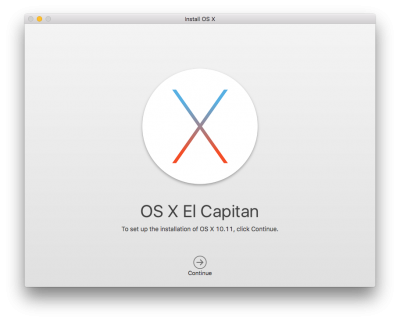 4. Download Install OS X El Capitan Application from the Mac App Store. When complete, the app will open. Please note, the Application will disappear after use.
5. Choose system drive for install (Example: Macintosh HD). When complete, the computer will automatically reboot.
6. When Clover boot screen appears, choose Boot OS X Install option (Example: Boot OS X Install from Macintosh HD). Choosing your system drive will go back to your previous installation without updating.
7. Complete the OS X installation process. When complete, the computer will automatically reboot.
8. When Clover boot screen appears, choose Boot Mac OS X option (Example: Boot Mac OS X from Macintosh HD). The computer will then complete the update.

Related:
http://www.tonymacx86.com/el-capitan-desktop-guides/167901-how-create-os-x-el-capitan-public-beta-installation-usb-using-clover.html
http://www.tonymacx86.com/alternate-bootloaders/128018-tonymacx86-clover-theme.html

Aucun commentaire:
Enregistrer un commentaire